

Search Exchange
Search All Sites
Nagios Live Webinars
Let our experts show you how Nagios can help your organization.Login
 New Listings
Directory Tree
Nag Small Screen Featured





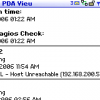
This is a minimalist web interface intended to be viewed on small screens such as on web-enabled phones and Blackberries. Rather than show your entire status grid, it shows only those hosts or services that are at critical or warning status. It is implemented as a simple Python cgi script and has no other requirements.
Just drop it into your cgi-bin directory and make sure you have Python installed. The script will look for status.dat which is almost always located at /var/nagios/status.dat. (If your installation is different, just change the path in the script.)
Tested under Python 2.4.3 and Nagios 2.5 and Nagios 2.8
Reviews (3)
byOldBlogger, April 5, 2019
I have been using this for quite a while now on my Android phone, created a link on the phones home screen which opens it up, great for a quick status overview on the move, recently started having that Python warning mentioned in another review did as suggested and its working great again.
byfgilain, May 19, 2014
Hi, when using this script, i had an error message at the bottom of the page :
Traceback (most recent call last): File "/usr/local/nagios/sbin/nss.py", line 97, in ? app = Nag() File "/usr/local/nagios/sbin/nss.py", line 39, in __init__ self.service() File "/usr/local/nagios/sbin/nss.py", line 94, in service if current_state != "0": UnboundLocalError: local variable 'current_state' referenced before assignment
i just added that line (line 56 and 77) to avoid that error to be displayed :
global current_state
hope it will help other users of this usefull script.
Florent
Traceback (most recent call last): File "/usr/local/nagios/sbin/nss.py", line 97, in ? app = Nag() File "/usr/local/nagios/sbin/nss.py", line 39, in __init__ self.service() File "/usr/local/nagios/sbin/nss.py", line 94, in service if current_state != "0": UnboundLocalError: local variable 'current_state' referenced before assignment
i just added that line (line 56 and 77) to avoid that error to be displayed :
global current_state
hope it will help other users of this usefull script.
Florent
Tested with V3.2
Might be useful for very small installations. This is *just* a listing of problems. Provides no links to the host or service pages.
Might be useful for very small installations. This is *just* a listing of problems. Provides no links to the host or service pages.


